
Quick Answer
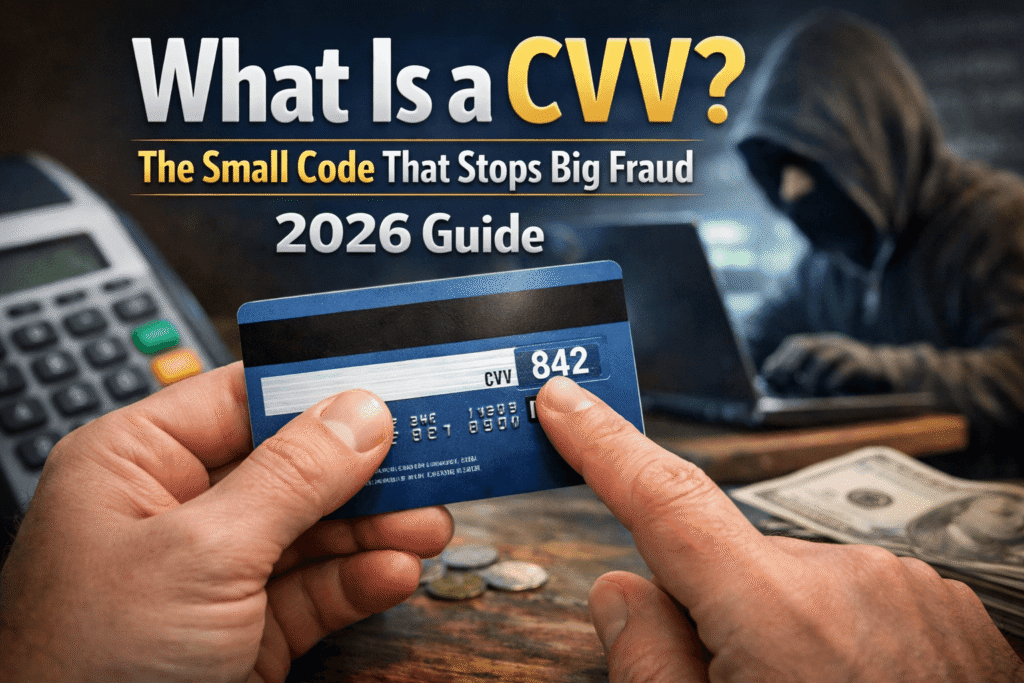
A CVV (Card Verification Value) is the 2-, 3-, or 4-digit security code printed on your credit or debit card. It’s not stored on the magnetic stripe, which makes it a crucial layer of protection for online and phone purchases. Whenever a transaction requires your CVV, it proves you’re physically holding the card — something a fraudster who only stole your card number can’t fake.
📋 Quick Summary
- →CVV stands for Card Verification Value (also called CVV2, CVC2, or CID)
- →Where to find it: Back of Visa/Mastercard (3 digits) or front of Amex (4 digits)
- →Main purpose: Confirms you physically have the card during online or phone transactions
- →It’s not on your magnetic stripe — so stolen swipe data doesn’t expose it
- →You should never share your CVV via email, text, or over the phone unless you initiated the call
- →Merchants are not allowed to store your CVV after a transaction is processed
- →Lost or stolen card? Call your bank immediately — a new CVV is issued with your replacement card
📋 What’s In This Guide
- What Is a CVV, Really?
- Where Is the CVV on My Card?
- Why Does the CVV Exist?
- CVV vs. Card Number vs. PIN
- How Your CVV Protects You
- Real-Life Situations Where Your CVV Matters
- Common Mistakes People Make With Their CVV
- How to Keep Your CVV Safe
- Tools That Add an Extra Layer of Protection
- CVV Security: What Banks and Merchants Are Required to Do
- What Happens If Your CVV Is Stolen?
- CVV Myths Worth Debunking
- Advanced Tips for Extra CVV Protection in 2026
- Frequently Asked Questions
- Final Thoughts
What Is a CVV, Really?
Ever notice that little 3-digit number on the back of your card? Most people glance right past it. But that tiny number? It’s doing a lot of heavy lifting every time you shop online.
CVV stands for Card Verification Value. Depending on your card network, you might also hear it called:
- •CVC2 — Card Verification Code (used by Mastercard)
- •CVV2 — Card Verification Value 2 (used by Visa)
- •CID — Card Identification Number (used by American Express and Discover)
Different names, same idea. It’s a short security code that verifies you’re the legitimate cardholder — especially in transactions where no one can physically swipe or tap your card.
Here’s the interesting part: this code is not stored on your card’s magnetic stripe or chip. It exists only as a printed number. That’s intentional. If a criminal skims your card at a gas station, they grab your card number and expiration date — but not your CVV. Without the CVV, completing a card-not-present transaction (like buying something online) becomes a lot harder.
Think of your card number as your address and your CVV as the key to your front door. Knowing where you live doesn’t mean you can walk in.
Where Is the CVV on My Card?
This is one of those questions that sounds obvious until you’re in a checkout line and can’t find the darn number. Here’s a quick breakdown by card type:
Visa & Mastercard
Flip your card over. Look at the signature strip on the back. You’ll see a string of numbers followed by a separate 3-digit number. That’s your CVV.
American Express
Amex does things differently. Their CVV (called a CID) is a 4-digit number on the front of the card, just above and to the right of your card number.
Discover
Discover cards follow the Visa/Mastercard format — 3 digits on the back near the signature strip.
Virtual Cards
Virtual card CVVs are generated digitally and shown in your app or online account. These often change with each transaction for extra security.
Why Does the CVV Exist? (And Why Does It Actually Matter?)
Let’s be honest — it can feel like one more random number to remember when you’re trying to check out quickly. So why does it exist?
The CVV was introduced to solve a very specific problem: how do you verify someone is holding a real card when you can’t see them?
When you buy something in person, the cashier can physically look at your card or the payment terminal can read the chip. There’s a built-in verification step. But when you shop online or order by phone, none of that happens. The merchant has no way of knowing if the person entering a card number actually has the card.
That’s where the CVV comes in. It acts as a second layer of proof — something you can only know if you’re physically looking at the card.
How It Fits Into the Payment System
When you enter your card details at checkout, the merchant sends your card number, expiration date, and CVV to the payment processor. The processor checks the CVV against the value stored in the card network’s system. If they match, the transaction is approved. If they don’t, it’s declined — even if every other detail is correct.
This system stops a huge category of fraud: the kind where someone gets hold of a list of card numbers (through a data breach, for example) but doesn’t have the physical cards. Without the CVV, those stolen numbers are much harder to actually use.
Fun fact: Visa introduced the original CVV system back in 1993. The three-digit CVV2 (printed on the card) came later, specifically to protect online transactions.
CVV vs. Card Number vs. PIN: What’s the Difference?
A lot of people mix these up. Here’s a clean comparison to set things straight:
| Feature | Card Number | CVV / CVC / CID | PIN |
|---|---|---|---|
| What it is | 16-digit unique ID | 3 or 4-digit security code | 4-6 digit secret number |
| Location | Front of card | Back (or front for Amex) | In your memory only |
| On magnetic stripe? | Yes | No | No |
| Used for | All card transactions | Online/phone purchases | In-person PIN transactions |
| Can merchants store it? | Yes (encrypted) | No — prohibited by PCI DSS | No |
| If stolen, the risk is… | High | Medium | High for ATM/in-store fraud |
How Your CVV Actually Protects You
The protection your CVV offers comes down to one powerful rule: merchants are not allowed to store it. This is mandated by PCI DSS — the Payment Card Industry Data Security Standard — the global framework that governs how businesses handle card data.
Here’s what that means in practice. Say a major retailer suffers a data breach and hackers steal millions of card records. If that retailer was following the rules, your CVV was never stored in their system in the first place. Hackers get card numbers, names, and maybe expiration dates — but no CVVs.
Without the CVV, those stolen card numbers are significantly less useful for committing online fraud.
The No-Storage Rule Is a Big Deal
This is one of those rare cases where a regulation actually makes things meaningfully safer. It doesn’t matter how sophisticated the breach is — if the data was never there, it can’t be stolen. The CVV exists precisely because it was designed not to persist.
That said, this protection has limits. If you’re tricked into entering your CVV on a fake website (phishing), or if you share it over the phone with a scammer, then no rule protects you. The CVV is powerful — but only if you protect it from being seen in the first place.
PCI DSS Compliance
Merchants that violate the no-storage rule face massive fines, loss of ability to process card payments, and mandatory public disclosure of breaches. It’s a significant deterrent — and one of the strongest protections for cardholders.
Real-Life Situations Where Your CVV Matters
The Classic Online Checkout
You’re on Amazon, your cart is full, and you’re ready to check out. You type in your card number, expiration date, and then — the CVV field. The website passes that code to the payment processor, which validates it in real time. You probably never think twice about it. But behind the scenes, that 3-digit number is doing security work.
I once tried checking out on a site and realized I’d left my wallet in the car. I had my card number memorized (don’t ask), but I couldn’t complete the purchase without the CVV. At the time it was mildly annoying. Looking back, that’s exactly the system working as intended.
Subscription Renewals and Auto-Pay
When you sign up for Netflix, Spotify, or any subscription service, you enter your CVV once. The service can’t store it, but they tokenize your payment info with their payment processor, which allows future charges without re-entering the CVV each time. This is why checking your bank statements regularly matters.
The Fraud Attempt Scenario
Here’s a scary but realistic situation: someone gets hold of your card number through a data breach. They have your 16-digit number and your expiration date. They try to use it online. But guess what? Most checkout forms require the CVV. Without it, the transaction fails. Now imagine the same scenario, but this time the breach came from a shady merchant who was storing CVVs illegally. That’s a much worse situation — and exactly why PCI DSS compliance matters.
Lost or Stolen Card
You lose your wallet. Someone finds your card and immediately tries to use it online. If they type the number into a checkout form, they still need the CVV — and if the card is face-down in your wallet, they can see it immediately. This is why acting fast matters.
Speed matters. The faster you report a lost card, the less exposure you have. Most banks offer zero fraud liability — but you need to report it.
Common Mistakes People Make with Their CVV
Even people who consider themselves pretty careful make some of these mistakes. Here are the big ones:
Sharing It Over Email or Text
No legitimate organization — your bank, a retailer, a payment processor — will ever ask for your CVV via email or text. If someone does, it’s a scam. Period.
Giving It Out on Unsolicited Phone Calls
If someone calls you claiming to be from your bank and asks for your CVV to “verify your identity,” hang up. Your bank already knows your CVV — they don’t need to ask you for it. Call your bank back using the official number on their website or the back of your card.
Entering It on Unsecured or Fake Websites
Always check that a site is using HTTPS before entering any card details. Look for the padlock icon in your browser’s address bar. Before entering your CVV anywhere, make sure you trust the site and double-check the URL.
Writing It Down Somewhere Insecure
Some people write card details in a notes app, a spreadsheet, or on a sticky note. If your device is hacked or someone sees that note, you’ve handed them everything they need. Your CVV should only ever exist on your physical card and in your memory.
Assuming a Padlock Means a Site Is Safe
HTTPS (the padlock) means the connection is encrypted — it does not mean the site is legitimate. A criminal can easily set up an HTTPS phishing site. Always verify the domain carefully, especially for financial transactions.
How to Keep Your CVV Safe: A Step-by-Step Guide
Here’s a practical checklist you can actually follow — no vague “be careful online” advice here.
Memorize your CVV — don’t write it down anywhere digitally or on paper.
Enable transaction alerts on your bank account so you know immediately when your card is charged.
Use virtual card numbers when shopping on unfamiliar sites. Many banks (like Capital One and Citi) offer this feature in their apps.
Check your statement monthly — not just for big charges, but for small ones. Fraudsters often test cards with tiny transactions first.
Never enter your CVV on a site you accessed through a link in an email. Always type the URL directly.
If you suspect your CVV is compromised, call your bank immediately to request a new card. You don’t have to wait until fraud actually occurs.
Freeze your credit if you’re not planning to open new accounts. This doesn’t affect your existing cards but stops identity thieves from opening new credit in your name.
Use a password manager and two-factor authentication on your online banking. Securing your account access is just as important as protecting your card number.
Tools That Can Add an Extra Layer of Protection
Your CVV protects you from a specific type of fraud, but it’s not a complete shield. Here are some tools worth considering if you want more comprehensive protection:
Credit Monitoring Services
Services like Experian, IdentityForce, or Aura continuously watch your credit file for suspicious activity. Tools like Aura or Identity Guard offer real-time monitoring, dark web scanning, and even insurance coverage if fraud does occur.
Identity Theft Protection Services
Services like LifeLock or Aura monitor Social Security number misuse, bank account takeovers, and public records. Most include recovery assistance — someone who helps you navigate disputing charges and restoring your identity.
Your Bank’s Built-In Tools
Before paying for a third-party service, check what your bank already offers. Many major banks — Chase, Bank of America, Wells Fargo — offer free fraud monitoring, virtual card numbers, and instant card lock/unlock features directly in their apps.
CVV Security: What Banks and Merchants Are Required to Do
It’s not just on you to protect your CVV. There are actual rules — legally enforced standards — that businesses must follow when handling your card data. Here’s a quick breakdown:
PCI DSS: The Big Rule Set
PCI DSS (Payment Card Industry Data Security Standard) is a set of rules that any business accepting card payments must follow. One of the most important rules is this: merchants are never allowed to store your CVV after a transaction is authorized. Not in a database, not in a log file, not anywhere.
Violating this rule can result in massive fines, loss of the ability to accept card payments, and public disclosure of the breach. Big retailers have faced these consequences — and it’s a significant deterrent.
What Banks Do on Their End
Your card issuer uses a cryptographic algorithm to generate and verify CVVs. When you enter your CVV at checkout, the payment processor asks the card network (Visa, Mastercard, etc.) to verify it. The network checks it against what it knows your CVV should be — without that value ever living in the merchant’s system.
The bottom line: This means even if a merchant’s entire database is stolen, your CVV isn’t in it (assuming they were compliant). The protection is baked into the architecture.
What Happens If Your CVV Is Stolen?
Let’s say it happens. You notice an unauthorized charge, or you get an alert that your card details were found on the dark web. Here’s what to do:
Call your bank immediately. Report the suspicious activity and ask them to cancel the card and issue a new one. This generates a new card number and a new CVV.
Dispute unauthorized charges. Under the Fair Credit Billing Act, you have the right to dispute charges you didn’t authorize. Your liability is typically $0 for credit cards if you report promptly.
Change passwords on related accounts. If your card was stored on a specific site, change your password there. If you reused that password elsewhere, change it everywhere.
Place a fraud alert on your credit. Contact one of the three major credit bureaus (Equifax, Experian, or TransUnion) to place a free fraud alert. This requires lenders to verify your identity before opening new accounts.
Monitor your accounts closely. Check all linked accounts over the following weeks. Fraudsters sometimes wait before using stolen data.
Quick tip: The FTC’s IdentityTheft.gov website walks you through a personalized recovery plan step by step. It’s free and genuinely helpful.
CVV Myths Worth Debunking
Advanced Tips for Extra CVV Protection in 2026
Most of the basics haven’t changed, but the tools available to you have gotten better. Here’s what’s worth knowing right now:
🔢 Use Virtual Card Numbers
Several banks and third-party services now let you generate a temporary, single-use card number with its own CVV. You use it for online purchases, and the underlying card number is never exposed. Privacy.com is a popular free option for this. Capital One’s Eno browser extension does the same thing for Capital One cardholders.
🔐 Enable Card Lock Features
Most major banks now let you lock your card in seconds through their app. If you’re not going to be shopping online for a while, locking the card means no online transaction can go through at all — CVV or not. Unlock it when you need it.
⛽ Watch for Card Skimming at Gas Stations and ATMs
Physical card skimmers attach to card readers and capture magnetic stripe data. They don’t capture your CVV (since it’s not on the stripe), but they do get your card number and expiration date. Tap-to-pay is safer than swiping because it uses a one-time token rather than transmitting your actual card data.
📲 Use Apple Pay, Google Pay, or Samsung Pay When Possible
These systems use dynamic tokenization — every transaction generates a unique code that can’t be reused. Your actual card number and CVV are never transmitted. It’s genuinely more secure than typing your card details into a website.
Frequently Asked Questions
Can someone use my card without the CVV?
For most online purchases, yes — the CVV is required. However, some merchants (especially recurring billing and certain international sites) may process transactions without requiring it. This is why card monitoring and transaction alerts are important even if your CVV hasn’t been exposed.
Is it safe to share my CVV?
You should only enter your CVV on a trusted, secure website you navigated to yourself. Never share it verbally over the phone unless you made the call, and never send it via email or text. Legitimate businesses will never ask you to share your CVV through those channels.
Where is the CVV on a debit card?
In the same place as a credit card. For Visa and Mastercard debit cards, it’s the 3-digit number on the back of the card, near the signature strip. The same rules and protections apply to debit card CVVs as to credit card CVVs.
What if my CVV is stolen?
Call your bank immediately, dispute any unauthorized charges, and request a new card. Your bank will issue a replacement with a new card number and CVV. You should also place a fraud alert with the credit bureaus as a precaution.
Do all cards have a CVV?
Most do. Standard credit cards, debit cards, and prepaid cards all have CVVs. Some older or specialized cards might not. Virtual card numbers always come with a CVV, typically generated fresh for each transaction.
Why does my CVV look different from my card number?
They’re generated differently. Your card number (PAN) encodes information about your bank, account, and a checksum. Your CVV is generated using a separate cryptographic process that ties it specifically to your card number, expiration date, and a bank-side secret key — making it practically impossible to guess.
Can I look up my CVV online if I forget it?
No. For security reasons, your bank will never display your CVV in your online account or app. The only place it exists is physically printed on your card. If you truly can’t find it, you’ll need to request a new card.
Do prepaid cards and gift cards have CVVs?
Yes, prepaid Visa and Mastercard gift cards do have CVVs, and they work the same way as regular cards for online purchases. The CVV is usually printed on the back of the card.
Final Thoughts: Small Number, Big Impact
It’s easy to overlook a 3-digit code you’ve typed a hundred times without thinking about it. But the CVV is one of those little details that quietly does a lot of good.
It can’t protect you from everything. If you get phished into entering it on a fake site, or if you hand it to a scammer on the phone, the system breaks down. The technology is only as strong as the habits around it.
But here’s the reassuring part: with basic habits in place — monitoring your accounts, using secure sites, never sharing your CVV unsolicited — you’re already doing most of what you need to do. Add a virtual card number for sketchy sites and a card lock feature for peace of mind, and you’ve built a pretty solid defense.
Your card’s CVV is a small detail. But details are exactly what separates a protected cardholder from a fraud victim.
If you want to take your financial security a step further, consider a credit monitoring service like Aura or IdentityForce — especially if you’ve had card data compromised in the past. They’re not for everyone, but they provide a real safety net.
📚 Related Guides on Finance Navigator Pro
Not financial advice. For informational purposes only. Always consult a licensed financial advisor for decisions specific to your situation.