
On this page
A debt payoff app will not make your balances smaller by itself, but it can turn a vague goal like “get out of debt” into a dated plan with a target for every month. The right tool shows you which debt to attack first, how much interest you save with each extra dollar, and when you can expect your last payment. This guide is for anyone juggling credit cards, personal loans, car loans, or student loans who wants a clear, low-cost way to stay on track in 2026.
Disclosure: Some links may earn us a commission at no cost to you. It never affects our rankings. See our affiliate disclaimer.
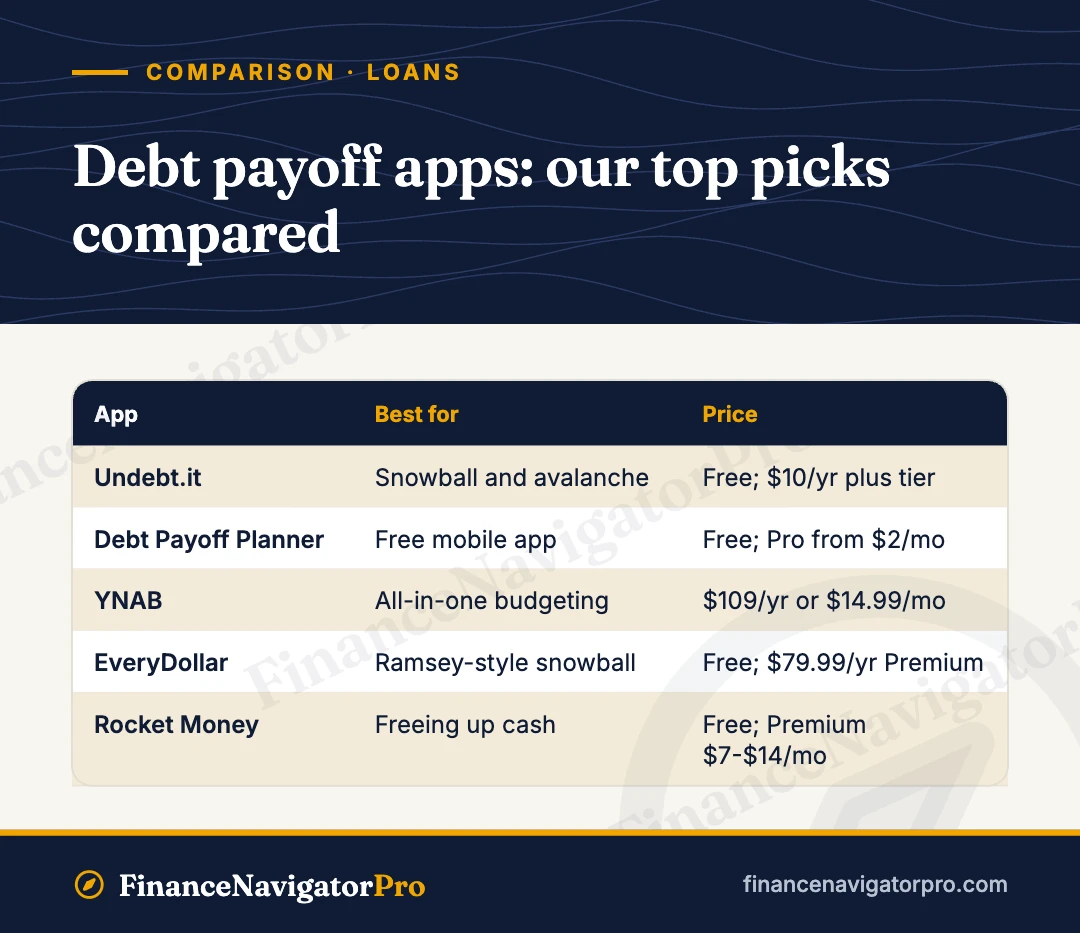
Our top picks at a glance
- Best for snowball and avalanche planning: Undebt.it — eight payoff strategies in a free web planner, with a paid tier that costs $10 a year.
- Best free mobile app: Debt Payoff Planner — a simple phone app whose free plan covers what most people need.
- Best all-in-one budgeting plus payoff: YNAB — a full budgeting system with a built-in Loan Planner that shows interest and time saved.
- Best for Ramsey-style debt snowball: EveryDollar — a free zero-based budget built around the snowball method.
- Best for freeing up cash automatically: Rocket Money — finds and cancels unwanted subscriptions so you can redirect that money to debt.
Debt payoff apps compared
| App | Best for | Price | Key feature |
|---|---|---|---|
| Undebt.it | Snowball and avalanche planning | Free; Undebt.it+ $10/year | 8 payoff methods |
| Debt Payoff Planner | Free mobile app | Free; Pro from $2/month | Snowball vs. avalanche compare |
| YNAB | All-in-one budgeting | $109/year or $14.99/month | Loan Planner simulator |
| EveryDollar | Ramsey-style snowball | Free; Premium $79.99/year or $17.99/month | Zero-based budget |
| Rocket Money | Freeing up cash | Free; Premium about $7 to $14/month | Subscription cancellation |
Pricing and features checked November 2026; confirm on the provider’s site before signing up.
Snowball vs. avalanche: the two methods every app uses
Almost every tool on this list is built around two classic strategies. In both, you pay the minimum on every debt and throw every extra dollar at one target debt. When that debt is gone, its payment “rolls” into the next one.
- Debt snowball: You target the smallest balance first, no matter the interest rate. Quick wins keep you motivated, which is why many people stick with it. You can model it with our debt snowball calculator.
- Debt avalanche: You target the highest interest rate first. This usually saves the most money and time, especially if you carry high-rate credit card balances. Try it with our debt avalanche calculator.
If you are not sure why the avalanche saves so much, it helps to understand how credit card interest works. Card interest compounds on your daily balance, so a high APR card grows faster than a low-rate loan of the same size. The best method is the one you will actually follow. Many apps let you compare both side by side before you commit.
1. Undebt.it — Best for snowball and avalanche planning
Undebt.it is a web-based debt payoff planner and tracker that has been a favorite of debt-free communities for years. You enter each debt’s balance, rate, and minimum payment, set a monthly budget for debt, and it builds a full payoff schedule with a debt-free date. What sets it apart is choice. Beyond snowball and avalanche, it offers six more plans, including a hybrid that weighs balance against interest, a Cash Flow Index approach, highest monthly payment first, highest credit utilization first, highest monthly interest first, and a fully custom order. You can switch plans at any time and compare snowball and avalanche results directly.
The core planner is free, and you do not even need an account to use the calculator. You can install it on your phone’s home screen as a web app for iPhone or Android. The optional Undebt.it+ membership adds bill tracking, what-if scenarios, payoff snapshots, calendar syncing, YNAB integration, an AI helper, and bank syncing through SimpleFIN.
Pros
- Free planner with eight payoff strategies, more than most paid apps
- Log one-off extra payments (it calls them “snowflakes”) and watch your payoff date move
- Undebt.it+ is very cheap and is a one-time yearly fee, not an auto-renewing subscription
- 30-day free trial of Undebt.it+ with no credit card required
Cons
- Interface is functional rather than polished
- Bank syncing requires the paid tier and a third-party connection
- No full budgeting system; it focuses on debt only
Price: Free. Undebt.it+ costs $10 per year.
Who it’s for: Spreadsheet-minded borrowers with several debts who want to compare strategies in detail without paying a monthly fee.
2. Debt Payoff Planner — Best free mobile app
Debt Payoff Planner is a dedicated phone app for building a payoff plan and sticking to it. You add your debts, choose a strategy, and the app shows your payoff timeline and how extra payments change it. It lets you compare snowball and avalanche plans, and it also supports a custom order. It is available on iOS and Android, plus a web app, and creating an account lets you use it across devices with your data backed up.
The free plan is meant to cover what most people need, including editing balances, rates, payment dates, and extra monthly payments. A Pro plan starts at $2 per month for people with more complex situations. Like most dedicated payoff apps, it relies on manual entry rather than linking to your bank accounts, which some people actually prefer for privacy.
Pros
- Generous free plan that is enough for most users
- Clean, focused phone experience for checking progress on the go
- Works across iPhone, Android, and the web
Cons
- No bank linking, so you update balances yourself
- Fewer strategy options than Undebt.it
- Pro features and exact tier prices vary by platform; check current pricing in the app
Price: Free. Pro starts at $2 per month.
Who it’s for: Anyone who wants a straightforward, free payoff tracker on their phone without learning a full budgeting system.
3. YNAB — Best all-in-one budgeting plus payoff
YNAB (You Need A Budget) is a full budgeting method and app. You budget only money you already have, plan ahead for irregular costs, and track credit card spending so balances do not creep back up. For debt, its Loan Planner is a payoff simulator that ties into your budget. You can test a higher monthly payment, rounding up, a one-time extra payment such as a bonus, or a target payoff date, and it shows the interest and time you save on a burndown chart.
The Loan Planner covers loans such as federal and private student loans, auto loans, mortgages, medical debt, and personal loans. Credit cards are handled separately through YNAB’s credit card accounts, which set aside cash for each card purchase as you make it. One detail to know: the payoff simulator runs on the web version, while loan accounts work on iOS, Android, and the web.
Pros
- Deep, proven budgeting system that helps stop new debt from building
- Loan Planner clearly shows interest and time saved by extra payments
- 34-day free trial with no credit card required
- College students can get a free year through YNAB’s student program
Cons
- No free plan after the trial
- Steeper learning curve than simple payoff apps
- No built-in snowball or avalanche ordering across all debts; you set priorities yourself
Price: $14.99 per month or $109 per year.
Who it’s for: People who know their debt came from spending without a plan and want to fix the budget and the balances together.
4. EveryDollar — Best for Ramsey-style debt snowball
EveryDollar is the budgeting app from Ramsey Solutions, and it is built around zero-based budgeting: you give every dollar of income a job before the month starts. Debt payoff follows the debt snowball, so you list debts from smallest to largest balance and attack the smallest first. If you fall behind, it suggests a new payment amount and where you might find the extra money.
The free version is genuinely usable. You get monthly budgets with unlimited categories, manual transaction entry, sinking funds, split transactions, and bill due dates on your phone or computer. Premium adds bank connection for automatic transactions, paycheck-based spending plans, custom reports, a financial roadmap, projected net worth, a debt payoff tracker, and group or one-on-one coaching options.
Pros
- Free plan has no time limit
- Simple, motivating structure if you like the Ramsey “baby steps” approach
- Annual Premium price is lower than most full budgeting apps
- 14-day free trial of Premium for new users
Cons
- Payoff guidance centers on the snowball, so avalanche fans may feel limited
- Bank syncing and the debt payoff tracker sit behind Premium
- Monthly Premium billing is expensive compared with paying yearly
Price: Free. Premium costs $79.99 per year or $17.99 per month.
Who it’s for: People who want a budget and a snowball plan in one place and respond well to quick, visible wins.
5. Rocket Money — Best for freeing up cash automatically
Rocket Money links to your bank and card accounts and shows where money leaks out each month. Its best-known features are subscription tracking and cancellation plus a bill negotiation service, which together can free up cash you can redirect to your target debt. The free plan includes subscription viewing, upcoming bill tracking, transaction history, automatic categorization, basic budgets with limited custom categories, and credit score viewing.
Premium uses a “pay what you think is fair” model, typically $7 to $14 per month. It unlocks more budgeting flexibility, a debt paydown feature, and credit report monitoring. A Premium+ tier at $15 per month adds an AI assistant and drops the bill negotiation success fee. For free and Premium users, the negotiation service charges 35% to 60% of the first year’s savings, but only if it actually lowers a bill.
Pros
- Finds forgotten subscriptions that quietly drain your debt budget
- Links accounts, so balances update automatically
- Flexible Premium pricing
Cons
- Debt paydown tools are a Premium feature, not free
- Bill negotiation fees can be steep relative to the savings
- Payoff planning is less detailed than dedicated tools like Undebt.it
Price: Free. Premium is typically $7 to $14 per month; Premium+ is $15 per month.
Who it’s for: Busy people who suspect they are overpaying for subscriptions and bills and want an app to find that money for them.
Other options worth knowing
A note for federal student loan borrowers: If most of your debt is federal student loans, your repayment plan matters more than any payoff app, so start with the official Repayment Calculator on StudentAid.gov (formerly Loan Simulator). It compares the federal plans your loans qualify for and estimates your monthly payment, total paid, and payoff date. This matters more than usual in 2026: the SAVE plan ended on July 1, 2026, the new Repayment Assistance Plan (RAP) and a Tiered Standard Plan launched the same day, and anyone taking out a new federal loan on or after that date, including through consolidation, can only use those two plans. The PAYE and ICR plans are set to end no later than July 1, 2028.
If you already have a plan but struggle to set cash aside for extra payments, a rules-based savings app such as Qapital can automate that, though its monthly fee starts at $3. A note on older apps: some tools that used to appear on lists like this no longer exist. Tally, which offered a line of credit to pay down cards, shut down in 2022, and Mint closed in 2024. Before you link any account, make sure the app is still actively supported.
How to choose a debt payoff app
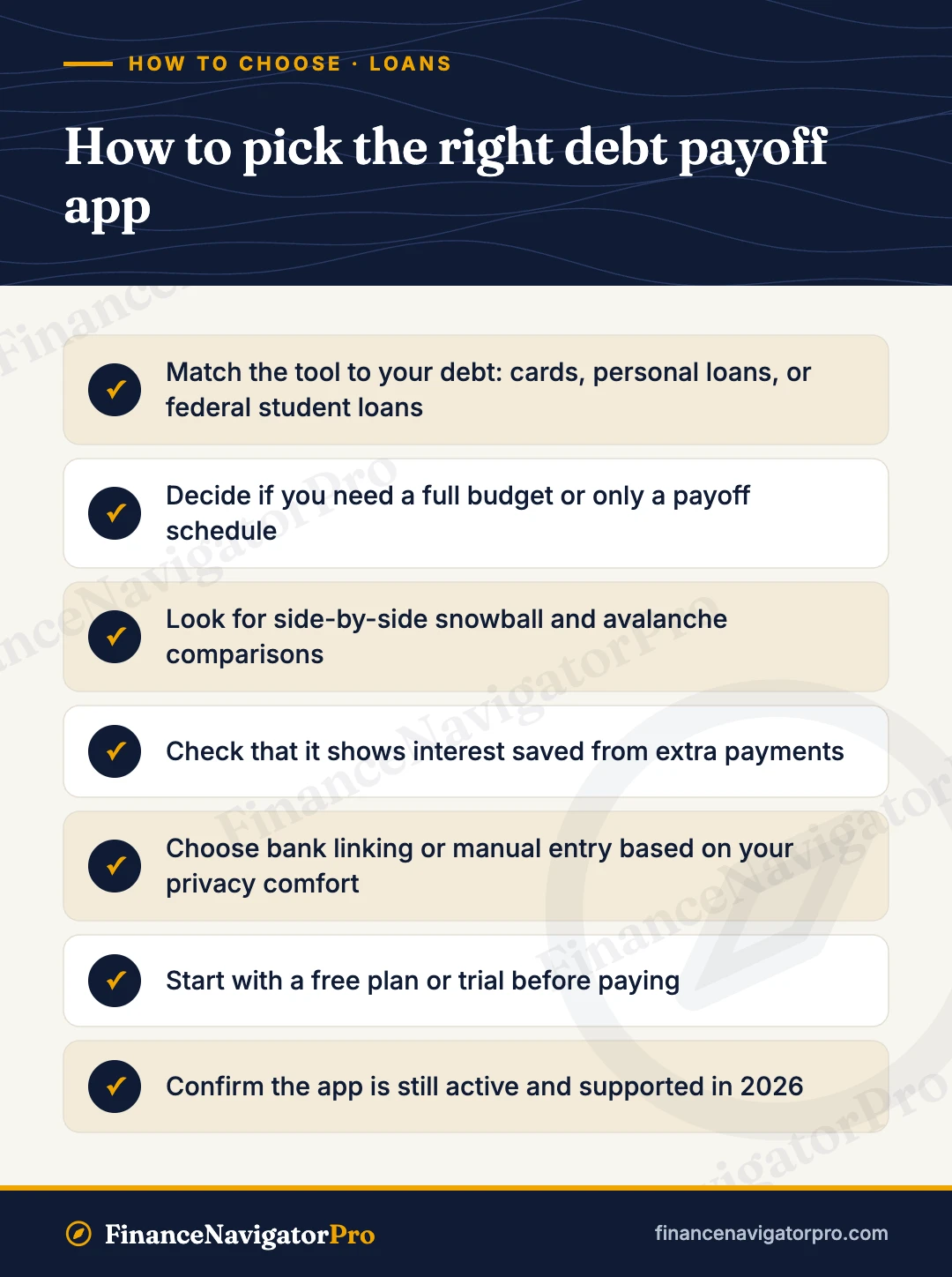
Start with the type of debt you have
Credit cards and personal loans fit any of the five apps above. Federal student loans are a special case, because the repayment plan you choose can matter more than any extra payment; see our note for federal student loan borrowers above. If debt in collections is part of the picture, read our guide on how to pay debt in collections before building a plan, since those accounts follow different rules.
Decide if you need a budget or just a payoff plan
If your budget already works and you only need a schedule, a free tool like Undebt.it or Debt Payoff Planner is enough. If you keep adding new balances, an all-in-one budget such as YNAB or EveryDollar addresses the cause, not just the symptom.
Weigh cost against savings
Every dollar you spend on an app is a dollar not going to debt. A $10 per year tool and a $109 per year tool can both be worth it, but only if the paid features change your behavior. Use free trials before committing.
Think about bank linking and privacy
Linked accounts save time and keep balances current. Manual entry means more work but less data shared. Choose based on your comfort level.
Look for strategy comparison
The best tools show snowball and avalanche side by side, plus the impact of extra payments. Seeing the interest difference in dollars makes it easier to stay committed.
Pro tip: An app can tell you which debt to pay first, but lowering your interest rate can speed things up even more. If you have good credit, compare a balance transfer card or a consolidation loan against your current rates, and learn how to qualify for a personal loan before you apply. Then plug the new rate into your payoff app.
How we chose
We did not assign star ratings or run long-term testing. Instead, we compared each of the five tools using information from official websites, pricing pages, and help pages, checked in November 2026. We excluded apps we could not confirm were still active or whose pricing we could not verify from an official source. Our criteria:
- Payoff planning: support for snowball, avalanche, or custom plans and clear debt-free dates
- Cost: availability of a useful free tier and the price of paid plans
- Scope: whether it handles budgeting, payoff planning, or freeing up cash for extra payments
- Ease of use: platforms supported and how much manual work is required
- Trust: an established track record and active support in 2026
Run your numbers first
Before you download anything, it helps to know roughly where you stand. Start with our debt payoff calculator to see how long your current payments will take. If credit cards are your biggest problem, the credit card payoff calculator shows how much an extra $50 or $100 a month changes your timeline.
Thinking about lowering your rate? Compare a single new loan with your current debts using the debt consolidation calculator, or check whether a 0% intro card makes sense with the balance transfer calculator. If you are worried about the effect on your score, our explainer on whether debt consolidation hurts your credit score walks through the short- and long-term impact.
Frequently asked questions
Are debt payoff apps worth it?
They are worth it if they help you follow a plan. A good app shows your debt-free date, the best order to pay debts, and how extra payments save interest. Several strong options, including Undebt.it, Debt Payoff Planner, and EveryDollar, have free versions, so you can start without spending anything.
Is the debt snowball or the debt avalanche better?
The avalanche, which targets the highest interest rate first, usually saves more money. The snowball, which targets the smallest balance first, gives faster wins that help many people stay motivated. If the interest difference between the two plans is small, pick the one you are more likely to stick with.
What is the best free debt payoff app?
Undebt.it offers the most payoff strategies for free on the web, and Debt Payoff Planner is a strong free option for phones. EveryDollar’s free plan is a good choice if you also want a budget built around the snowball method.
Can an app help with student loans?
For private student loans, general planners such as YNAB’s Loan Planner or Undebt.it can model extra payments. For federal student loans, check your repayment plan options first, since the 2026 changes, including the new Repayment Assistance Plan, can affect your payment more than any app.
Do debt payoff apps hurt my credit score?
No. Using a planner or budgeting app does not affect your credit. Viewing your own score in an app like Rocket Money is not a hard inquiry. Your score improves as you pay balances down and make on-time payments.
How do I avoid falling back into debt after paying it off?
Keep a budget, build an emergency fund so surprises do not land on a card, and pay cards in full each month. Our guide on how to avoid credit card debt covers practical habits that help.
Bottom line
For most people, a free tool is the right place to start. Undebt.it is the best pick for comparing snowball, avalanche, and other strategies, while Debt Payoff Planner is the easiest free phone app. If your debt comes from a budget that does not hold together, YNAB or EveryDollar can fix both problems at once. Federal student loan borrowers should review their repayment plan options first, especially after the 2026 plan changes. Whatever you choose, run your numbers, pick a method, and automate as much as you can. Pricing and features checked November 2026; confirm on the provider’s site before signing up.
Keep reading