
⚡ Quick Answer
Tap-to-pay is a contactless payment method that lets you pay by simply holding your card, phone, or smartwatch near a payment terminal — no swiping, no inserting, no PIN required for small purchases. It works through a short-range wireless technology called NFC (Near Field Communication), which transmits your payment information securely in under a second. People love it because it’s genuinely faster than any other checkout method, and thanks to tokenization technology, it’s actually more secure than swiping your card.
📋 Quick Summary
What it is
A contactless payment technology using NFC signals between your device and a payment terminal.
How it works
Your card or phone broadcasts a short-range radio signal containing a temporary token — not your real card number.
Is it safe?
Yes — and arguably safer than swiping. Tokenization means your real card data is never exposed.
Where it works
Most major retailers, grocery stores, transit systems, restaurants, gas stations, and many small businesses.
Pros
Fast, secure, hygienic, works with digital wallets like Apple Pay and Google Pay.
Cons
Transaction limits, not universally accepted, battery-dependent for phone/watch payments.
Who should use it: Anyone who wants faster, more secure everyday payments — which is basically everyone.
What Is Tap-to-Pay?
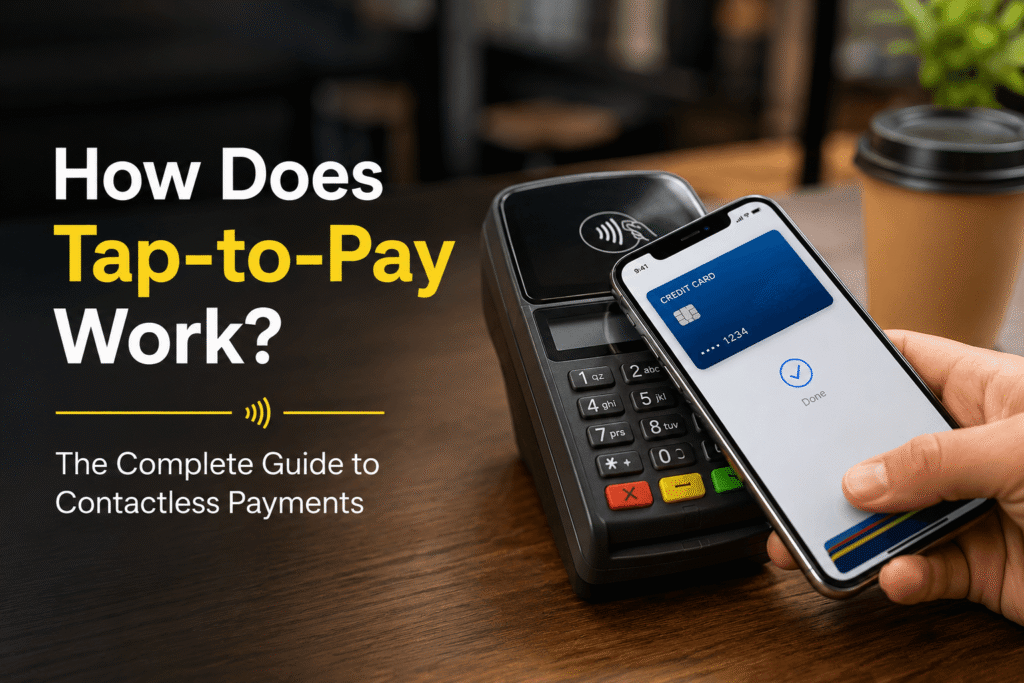
Here’s the deal: tap-to-pay (also called contactless payment) is exactly what it sounds like. You tap your card, phone, or smartwatch against a payment terminal, and the payment goes through. No swiping a magnetic stripe. No inserting a chip and waiting. No punching in a PIN for most everyday purchases.
The technology first showed up in U.S. transit systems in the early 2000s and then slowly crept into retail. But it really took off after the COVID-19 pandemic when people actively wanted to avoid touching shared surfaces — and suddenly contactless became the default at millions of businesses.
Today, tap-to-pay works across three main form factors:
Contactless Cards
Physical cards with a built-in NFC chip — look for the wave symbol on the front.
Smartphones
Apple Pay, Google Pay, or Samsung Wallet turns your phone into a tap-to-pay device.
Smartwatches
Apple Watch, Galaxy Watch, and Fitbit Pay — pay straight from your wrist.
💡 Quick check: If your card has this symbol — ≋ (three curved lines) — you’re already set up for contactless. Most cards issued after 2019 have it.
How Tap-to-Pay Actually Works (Simple Breakdown)
Ever wondered what’s actually happening in that half-second when you tap and the terminal beeps? Let’s break it down without the tech gibberish.
Step-by-Step: What Happens When You Tap
Terminal broadcasts a signal
When the merchant’s payment terminal is ready, it constantly emits a tiny radio frequency field — essentially just waiting for a compatible device.
Your device wakes up and responds
The moment your card, phone, or watch enters that field (usually within 1–2 inches), the NFC chip in your device powers up and sends back a response signal.
Tokenization happens in real time
Here’s where it gets clever. Instead of transmitting your actual card number, your device sends a one-time-use token — a randomly generated substitute number that only works for that specific transaction.
The terminal sends it to the bank
The terminal passes the token to the payment processor, which routes it to your bank (or card issuer).
Bank approves and confirms
Your bank validates the token, checks your balance/credit, and sends back an approval. The terminal beeps or flashes green. Total time: under one second.
🔑 Key takeaway: That’s it. The whole thing happens faster than you can blink — and your actual card number never leaves your device.
The Technology Behind Tap-to-Pay (Explained Without Jargon)
There are three core technologies working together every time you tap. Let’s look at each one.
NFC (Near Field Communication)
NFC is a short-range wireless technology that works at a maximum distance of about 4 centimeters. Think of it like Bluetooth’s very shy cousin — it only works when two devices are practically touching.
Your card or phone has a tiny NFC antenna inside it (often just a thin copper coil). The payment terminal has one too. When they get close, they exchange data through electromagnetic induction — the same basic principle that lets wireless phone chargers work.
NFC operates at 13.56 MHz and can transfer data at up to 424 kbits per second — way more than enough for a payment. The key advantage over older contactless tech: it’s standardized globally, which means it works the same way at a coffee shop in New York and a metro station in Tokyo.
Tokenization
This is the real security hero of tap-to-pay, and most people have no idea it exists.
Think of tokenization like this: imagine instead of giving someone your home address, you gave them a code that only works as your address for the next 10 minutes — and then it changes. That’s basically what tokenization does for your card number.
When you add your card to Apple Pay or Google Pay, your bank creates a Device Account Number (DAN) — a unique token tied to your specific device. Every transaction then generates a one-time cryptogram using that token. Even if someone intercepted the signal, they’d get a string of numbers that’s already expired and worthless.
This is a major upgrade over swiping a magnetic stripe, which transmits your real card number, expiration date, and CVV every single time. A simple card skimmer can capture that data. With NFC tokenization? There’s nothing useful to steal.
Encryption
On top of tokenization, the data transmitted during an NFC transaction is encrypted using 128-bit or 256-bit AES encryption — the same standard used by banks and government agencies. Even the temporary token is wrapped in an encrypted packet.
Encryption and tokenization work as a double layer: even if an attacker could somehow capture the encrypted signal, they’d still need to crack the encryption before they could even see the already-useless token.
Is Tap-to-Pay Safe? (Real Talk)
Honestly? Tap-to-pay is one of the safest payment methods available today — but that doesn’t mean it’s completely without risk. Let’s walk through the real concerns.
Fraud Risk: Lower Than You Think
According to data from major U.S. card networks, contactless card fraud rates are significantly lower than chip-and-PIN or magnetic stripe fraud. The tokenization system is the main reason — there’s simply no real card data to steal.
That said, fraud isn’t zero. The most common contactless fraud scenario involves lost or stolen physical cards, not any kind of wireless interception. If someone finds your contactless card, they could potentially make a small purchase before you cancel it.
💡 The fix? Enable transaction notifications on your bank’s app. You’ll know within seconds if your card is being used.
The ‘Scanning Skimmer’ Myth
You’ve probably seen headlines about thieves with hidden NFC scanners walking through crowded places, stealing card data from people’s wallets. This fear is mostly overblown.
Here’s why: even if someone managed to get a scanner within 4 cm of your card in public, they’d receive a useless one-time token — not your card number. There are no confirmed large-scale cases of successful contactless card-skimming fraud in the U.S. as of 2026. If you’re still worried, RFID-blocking wallets are cheap peace of mind.
Lost Phone or Card Scenarios
If you lose your phone, your mobile wallet is protected by your phone’s biometric lock (Face ID, fingerprint) or PIN. Apple Pay and Google Pay require authentication for every transaction — a thief can’t just tap your phone to pay.
If you lose a physical contactless card, call your bank immediately and freeze it through their app. Most banks let you do this in under 30 seconds.
Biometric Protection on Mobile Payments
Apple Pay, Google Pay, and Samsung Wallet all require biometric authentication (Face ID or fingerprint scan) before completing a payment. This is actually stronger protection than a physical card, which doesn’t require any verification for contactless transactions under $100.
💡 Pro tip: Consider adding an identity theft protection service if you do a lot of mobile payments. Services like IdentityForce, Aura, or Identity Guard monitor your financial accounts and alert you to suspicious activity in real time.
Tap-to-Pay vs Chip vs Swipe vs Cash
Still not sure how tap-to-pay stacks up against your other options? Here’s an honest comparison:
| Feature | Tap-to-Pay | Chip Card | Swipe | Cash |
|---|---|---|---|---|
| Speed | ⚡ Fastest (<1 sec) | Slow (5–15 sec) | Medium (3–5 sec) | Slow (counting) |
| Security | 🔐 Highest | High | Low | Medium |
| Convenience | ⭐ Excellent | Good | Good | Poor |
| Fraud Risk | Very Low | Low | High | Lost bills only |
| Tech Required | NFC terminal | EMV terminal | Any terminal | None |
| Works Offline | No | No | No | Yes |
| Hygienic | Touchless | Touch required | Touch required | Handled often |
Bottom line: Tap-to-pay wins on speed and security. Cash still has a place when you’re at a farmers market or a vendor who doesn’t take cards. Chip is fine as a fallback. Swiping? Try to avoid it if you can — magnetic stripe data is embarrassingly easy to steal.
Where Can You Use Tap-to-Pay?
Good news: tap-to-pay acceptance in the U.S. has exploded in recent years. You can now use it at:
Grocery Stores & Supermarkets
Nearly every major grocery chain — Whole Foods, Kroger, Safeway, Trader Joe’s, Target — has NFC-enabled terminals. In fact, Whole Foods and Target are among the best tap-to-pay experiences in retail because they’ve invested in fast, reliable terminals.
Gas Stations
This one’s a bit inconsistent. Major chains like Shell, BP, and ExxonMobil have been rolling out NFC-capable pumps, but older stations may still be swipe-only at the pump. A good rule of thumb: if you see the wave symbol, tap away. If not, go inside to pay contactlessly.
Public Transit
This is where tap-to-pay genuinely shines. New York’s MTA, Chicago’s CTA, San Francisco’s Muni and BART, and Washington’s Metro all accept contactless payments directly at the turnstile. Just tap your phone or card and you’re through — no MetroCard needed.
Restaurants & Coffee Shops
Most Square and Clover terminals (used by small cafes and restaurants) support NFC. Starbucks, McDonald’s, Chick-fil-A, and virtually all fast food chains accept tap-to-pay. For table service, many restaurants now bring wireless NFC-enabled card readers to the table.
Small Businesses
Here’s where people get confused — small businesses are actually some of the best tap-to-pay experiences. Modern card readers from Square, Stripe, Toast, and Clover all support NFC by default. Your local coffee shop, food truck, or boutique is more likely to accept tap-to-pay than you’d expect.
Online & In-App Payments
Apple Pay and Google Pay also work for online checkouts. Many apps and websites show the Apple Pay or Google Pay button — tap it and your payment goes through with biometric confirmation, without you ever typing a card number.
Real-Life Examples: Where Tap-to-Pay Makes a Difference
The Morning Coffee Rush
You’re in line at your local coffee shop at 8:05 AM. There are six people behind you, the barista is already making your usual, and you realize your wallet is buried in your bag. With tap-to-pay on your phone or watch, you hold your wrist to the reader for less than a second, get a green checkmark, and you’re done before anyone behind you even gets annoyed. No fumbling, no swiping, no PIN.
Traveling Through an Airport
You land at O’Hare, you need to grab the Blue Line into downtown, and you have zero cash and no idea where to get a transit card. With Apple Pay or Google Pay loaded on your phone, you tap at the turnstile and ride. Same thing works at most major U.S. transit systems. When you grab lunch at a terminal restaurant, tap again. No cash, no fuss, no carrying a foreign card you had to order in advance.
The Emergency Purchase
Picture this: you’re out on a run, your car gets a flat, and you need to buy a can of fix-a-flat at the nearest convenience store. You have your Apple Watch on. You don’t need your wallet, your phone, or anything else. Tap your watch, done. That’s the real-world use case that makes wearable payments feel genuinely magical the first time you experience it.
Grocery Store Self-Checkout
Self-checkout lines with tap-to-pay are dramatically faster. You don’t need to flip your card the right way, wait for the chip reader to process, or worry about the card being declined because the chip couldn’t read. Tap, done, grab your bags.
Downsides Nobody Talks About
Look, tap-to-pay is great — but it’s not perfect. Here’s where people run into real friction:
Transaction Limits
In the U.S., there’s technically no federal limit on contactless transactions. However, many banks and card issuers set their own limits — typically $100 to $250 — before requiring a PIN or signature. If you’re buying groceries for a family of five, you might get flagged. The limits vary by issuer, and most banks have been quietly raising them. Check your specific card issuer’s policy to know your limit.
Not Universally Accepted — Yet
Despite major growth, you’ll still hit businesses that don’t accept NFC. Some older gas station pumps, small-town shops, certain vending machines, and venues with older POS systems will still require chip or swipe. Keep a physical card as a backup — always.
Tech Glitches Happen
Terminals freeze. NFC chips get demagnetized. Software updates break things. Every now and then you’ll tap and nothing happens. This isn’t common, but it does happen. Tapping multiple times usually doesn’t help — try another payment method if your first tap fails twice.
Battery Dependency (For Phone/Watch Payments)
Here’s the one that trips people up: if your phone dies, your mobile wallet dies with it. Physical cards don’t have this problem.
Apple does have a feature called Express Transit Mode that lets your iPhone work for transit payments even with a dead battery, but this is limited to transit — not general retail. Samsung’s Galaxy Watch also has a reserve battery mode for payments. But for most scenarios, a dead phone means no tap-to-pay. The lesson? Don’t delete your physical card from your wallet entirely just because you have Apple Pay.
Privacy Considerations
This is one the industry doesn’t love to talk about. While tap-to-pay doesn’t expose your card number to merchants, your payment processor and card issuer still have a complete record of every transaction — where you bought, when, and how much. This data is used for fraud detection but also for marketing and analytics. If privacy is a concern, cash is still the only truly private payment method. Mobile wallets like Apple Pay do not share your actual identity with merchants, which is actually better than a traditional card swipe in some ways.
Tap-to-Pay with Phones & Digital Wallets
Here’s where things get really useful. Rather than relying on a physical card, you can load your cards into a digital wallet and tap with your phone or watch. Here are the main options:
Apple Pay
Apple Pay works on iPhone (XR or later), iPad, Apple Watch, and Mac. It uses Face ID or Touch ID authentication before every payment. Apple Pay is accepted at over 85% of U.S. retailers and is the most widely supported mobile wallet in the country.
What makes Apple Pay stand out is its privacy model: Apple doesn’t store transaction data and merchants never see your real card number. You can add up to 12 cards.
For setup instructions, visit Apple’s official support page.
Google Pay (Google Wallet)
Google Wallet works on any Android phone running Android 5.0 or later with NFC. Setup takes about two minutes and supports all major U.S. credit and debit cards. Google Wallet also stores boarding passes, loyalty cards, and event tickets in one place.
Unlike Apple, Google does use some transaction data to improve its services, though you can opt out of certain data sharing in your account settings. More details at Google Wallet’s official site.
Samsung Wallet
Samsung Wallet (formerly Samsung Pay) is available on Samsung Galaxy devices and some Galaxy smartwatches. What made Samsung Pay unique was its MST (Magnetic Secure Transmission) technology, which let it work with older swipe-only terminals — though this feature has been phased out as NFC becomes universal.
Samsung Wallet now integrates digital IDs, insurance cards, and travel passes in addition to payment cards.
Fitbit Pay & Garmin Pay
Even fitness wearables are getting in on the action. Fitbit Pay (available on Fitbit Sense and Versa models) and Garmin Pay work just like any other NFC payment — tap your fitness tracker at any contactless terminal. Perfect for workouts when you don’t want to carry anything.
Best Cards & Tools for Tap-to-Pay Users
Not all contactless credit cards are created equal. Here are some categories worth knowing about — and what to look for:
Best Contactless Credit Cards (Categories)
Cash back on everyday spending
Cards from Chase, Citi, and Capital One that offer 2–5% back on groceries, gas, and dining pair exceptionally well with tap-to-pay. You make a tap in seconds and earn rewards automatically.
Travel rewards
Cards with no foreign transaction fees and tap-to-pay capability are ideal for international travel. Look for cards on the Visa or Mastercard networks, which have the broadest contactless acceptance globally.
Student cards
Most newer student credit cards include contactless capability, which is great for campus payments, transit, and dining halls.
For a comprehensive comparison, NerdWallet’s contactless card guide and The Points Guy are excellent resources that aren’t affiliated with any single issuer.
Identity Theft Protection Tools
If you’re using tap-to-pay regularly, pairing it with an identity protection service is smart — especially since mobile payments leave a digital trail. Look for services that offer:
Real-time transaction alerts
Dark web monitoring
Up to $1M identity theft insurance
Three-bureau credit monitoring
Well-regarded options include Aura, Identity Guard, and LifeLock. Compare features carefully — pricing and coverage vary significantly.
The Future of Contactless Payments (2026 and Beyond)
Tap-to-pay is already fast and secure — but the technology is still evolving quickly. Here’s where things are headed:
Biometric Payments
The next frontier is paying with just your face or fingerprint — no card, no phone required. Amazon’s Amazon One system already lets you pay with a palm scan at Whole Foods locations. Banks and payment networks are exploring facial recognition at ATMs and POS terminals. This is exciting but raises real privacy questions. Biometric data, unlike a card number, can’t be replaced if it’s compromised.
Wearable Payments Beyond Watches
We’re already seeing NFC chips in rings (McLear Ring, Motiv Ring), wristbands, and even jackets. The idea of leaving your wallet and phone at home and paying with a ring is no longer science fiction — it’s commercially available right now.
Tap-to-Pay for Businesses (Tap on Phone)
One of the most significant recent developments is “Tap on Phone” or SoftPOS technology. This lets businesses accept contactless payments directly on a smartphone — no card reader required. A delivery driver, a street vendor, or a home repair professional can take payment just by holding a customer’s card or phone to their own Android device. Visa and Mastercard have both launched programs to accelerate this.
Super Apps and Embedded Payments
Tech platforms like Apple, Google, and potentially newer players are building toward “super app” models where payments are embedded into everything — messaging, ride-sharing, food ordering, social media. The checkout step may eventually disappear entirely, replaced by ambient payment systems that confirm purchases via biometrics in real time.
Global Standardization
The EMV Contactless standard is being adopted by more countries every year. By 2027, analysts project that over 60% of in-person transactions globally will be contactless. For U.S. travelers, this means tap-to-pay reliability will only improve internationally.
How to Start Using Tap-to-Pay Today (Step-by-Step)
Setting up tap-to-pay takes about five minutes. Here’s how to get started:
Check if your card supports it
Look for the wave symbol (≋) on your debit or credit card. If it’s there, you’re already enabled for tap-to-pay at compatible terminals. If your card doesn’t have it, call your bank — most will issue a contactless replacement card for free.
Set up your mobile wallet (optional but recommended)
iPhone: Open Wallet app → tap the + button → follow prompts to add your card
Android: Open Google Wallet app → tap Add to Wallet → follow the card scan prompts
Samsung: Open Samsung Wallet → tap Add → Card and follow instructions
Enable security features
Make sure Face ID, fingerprint, or PIN lock is active on your device. Turn on transaction notifications through your bank’s app — this gives you real-time fraud protection.
Test with a small transaction
Next time you’re at a store with an NFC terminal, try tapping either your card or phone. Hold it 1–2 inches from the contactless symbol on the terminal for about half a second. You’ll hear a beep or see a green checkmark.
Monitor your transactions
For the first few weeks, check your account transactions through your bank app after each contactless payment. This builds confidence and catches anything unusual early.
Frequently Asked Questions
Final Thoughts: Should You Use Tap-to-Pay?
Here’s the bottom line: tap-to-pay is faster, safer, and more convenient than almost every alternative for everyday purchases. The tokenization technology genuinely makes it more secure than swiping a magnetic stripe, and the speed benefit — especially for quick purchases like coffee, transit, and groceries — adds up to real time saved over a week.
✅ Use it confidently for:
- Everyday purchases under $100 at any NFC-enabled terminal
- Public transit (it’s the fastest way to board)
- Any situation where speed and hygiene matter
- Wearable payments when you’re traveling light
⚠️ Be thoughtful about:
- Not relying solely on your phone — keep a physical card accessible
- Understanding your card’s contactless transaction limit
- Enabling transaction notifications for real-time fraud awareness
- Your privacy preferences if you’re sensitive about transaction data
The technology isn’t going anywhere — if anything, it’s about to get significantly more sophisticated with biometric and ambient payment systems. Getting comfortable with tap-to-pay now means you’ll be ahead of the curve as contactless becomes the default way the world pays.
Got questions about your specific card or device? Your card issuer’s support page or the official help docs for Apple Pay or Google Pay are the most accurate resources — payment policies change more often than most people realize.
— This guide is for informational purposes only and does not constitute financial advice. Payment features and limits vary by card issuer and may have changed since publication. Always verify details with your bank or card provider.
📚 Keep Learning